The stand that already knows your parts
Lyre puts on your iPad the parts your organisation has given you, in the order of the next concert. Annotate with Apple Pencil, turn the page with a tap or a pedal, and play with no connection.
iPad with iPadOS 18 or later
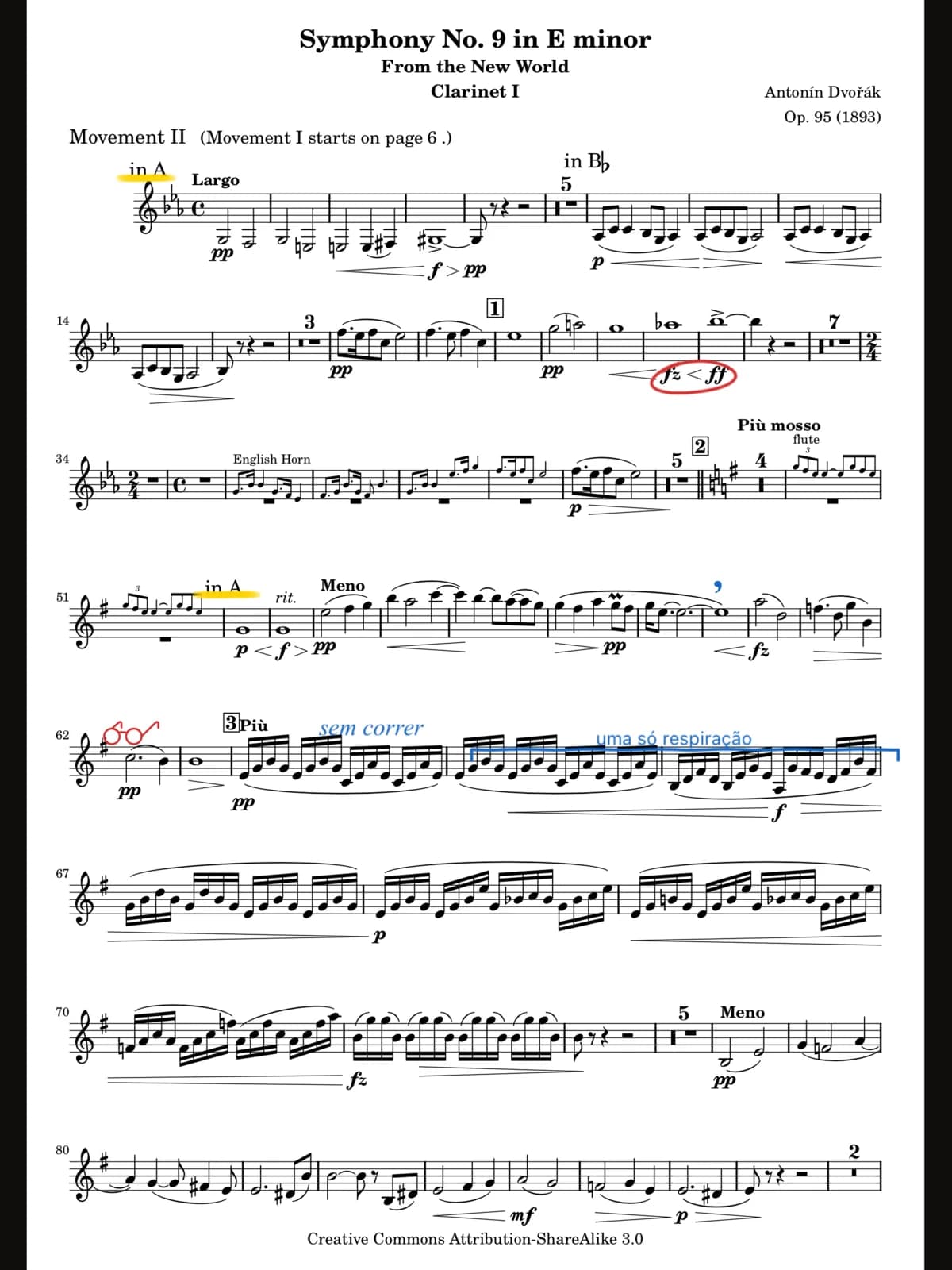
From the running order to the last page
Four screens, and then only the music.
With the focus here, the ← → arrows change screen, like a pedal.
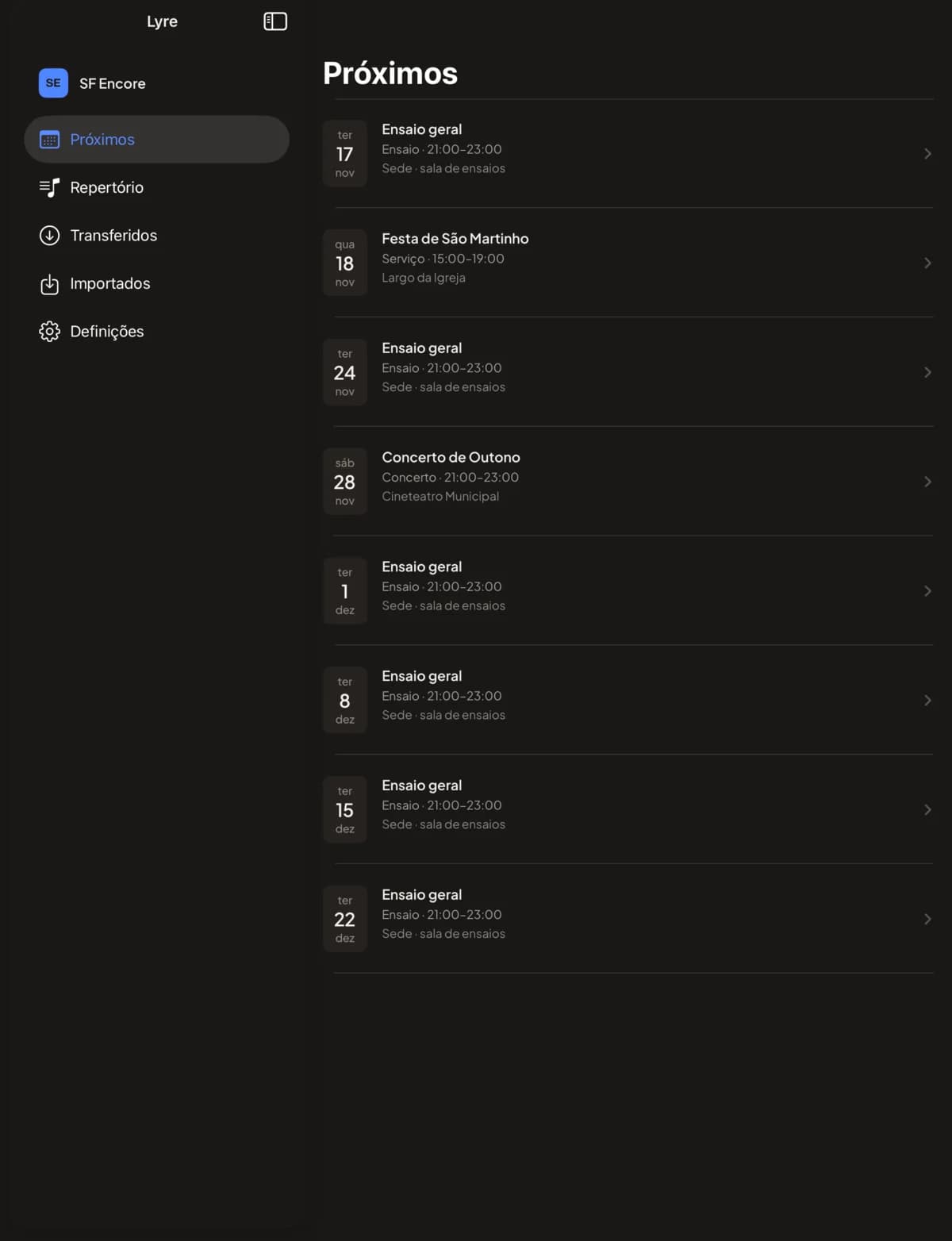
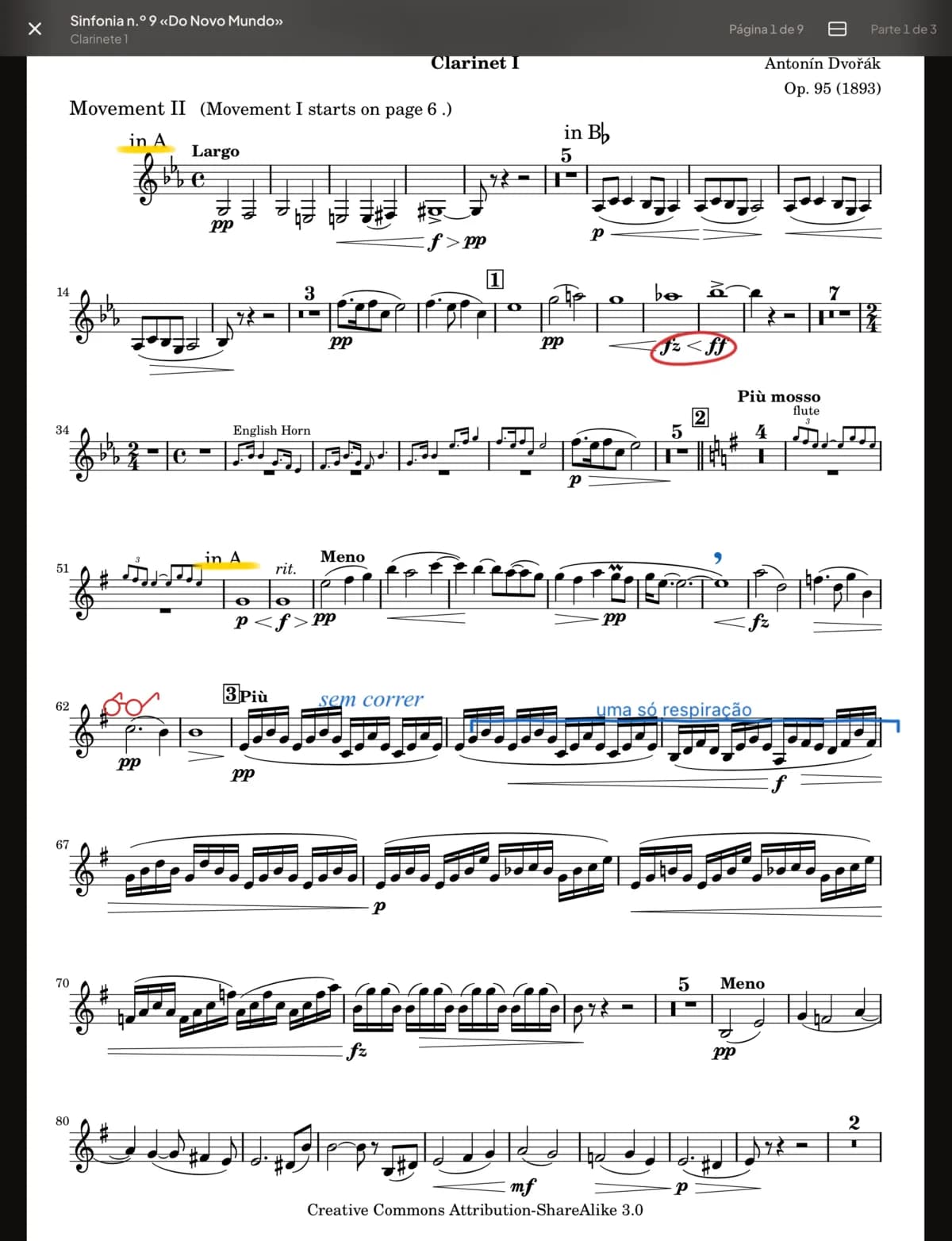
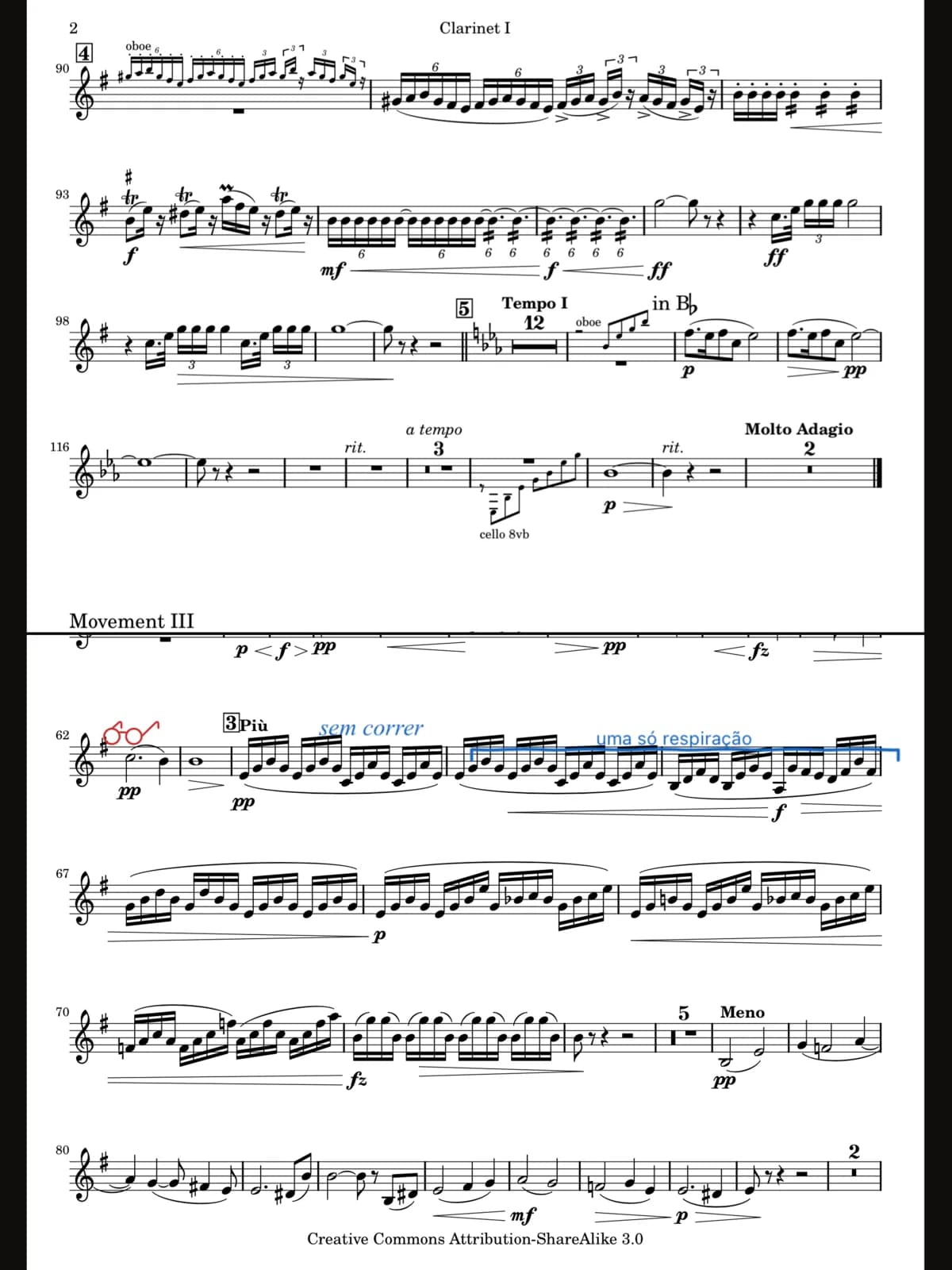
Mark it up as you would on paper
Apple Pencil writes on the page with no mode to choose, and your finger still turns the page. With no Pencil, turn on «Draw with your finger».
In this version, annotations are kept on the iPad.
- Pen4 colours, 3 widths
- Highlighter3 colours
- Text3 typefaces, 3 sizes
- Symbols25 music symbols
Everything a stand needs
And nothing that distracts from playing.
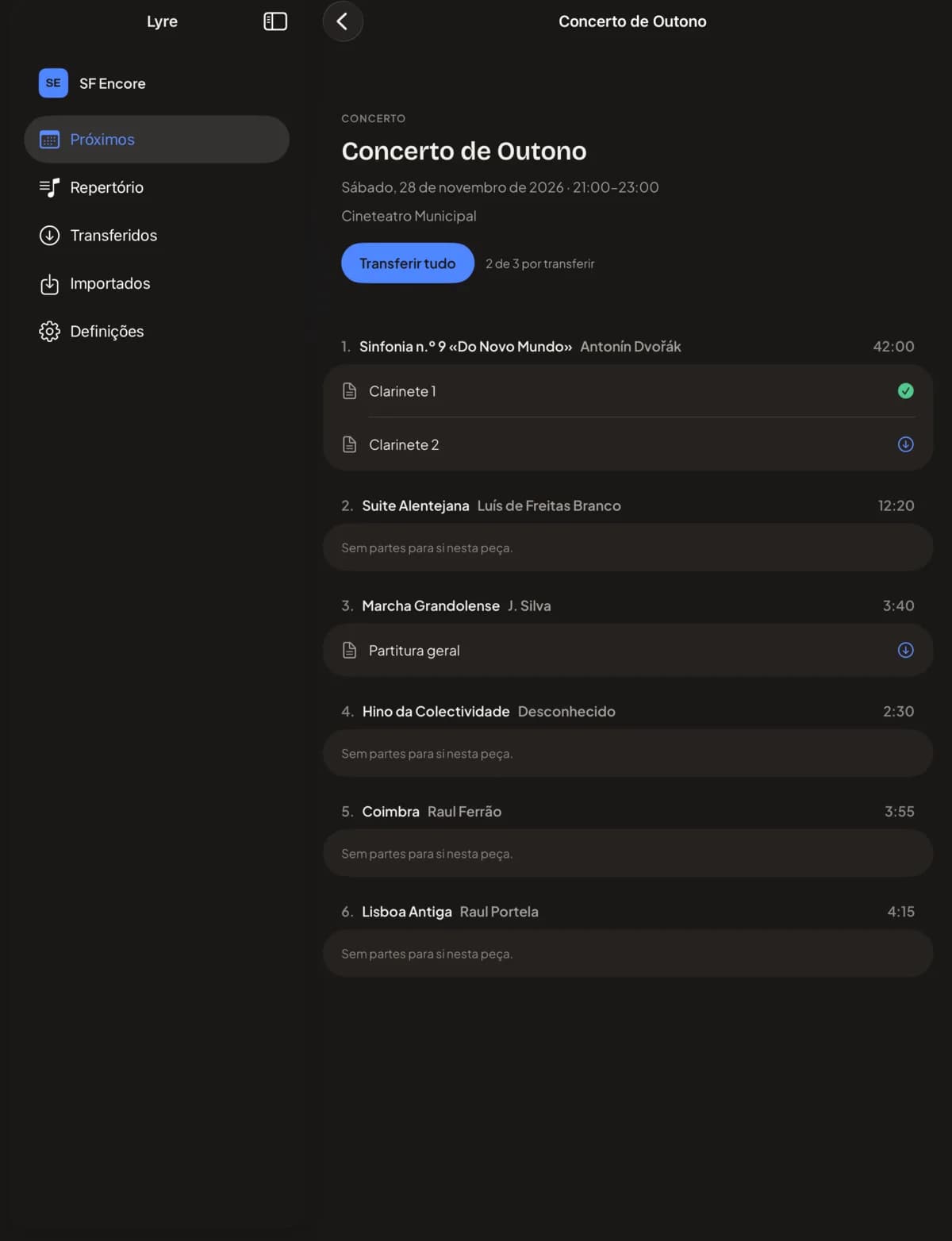
Only your parts
You see your section's parts, the same as on the web. If you change section, the stand follows.
Downloaded before you leave home
«Download all» keeps the whole concert on the iPad. On stage you need no connection.
A tap, a swipe or a pedal
Tap the edge, swipe, or use a Bluetooth pedal that sends the arrow keys.
Two pages in landscape
In portrait, one full page. In landscape, two pages side by side.
Your own PDFs
Open any PDF from another app in Lyre. It stays on the iPad only and takes annotations like a part.
Rehearsal attendance
When the managers ask, answer «Going» or «Not going». On the day, tap «I’m here» without leaving the stand.
The running order, straight through
At the end of the last page, the next page belongs to the piece that follows.
Made for the stage
A dark screen, no notifications. In Portuguese, Spanish, English and German.
Who it is for
You play in an organisation on EncoreHall
Sign in with the login you already use on the web. Your parts are there.
Your band is not on EncoreHall yet
Create an account in Lyre and use it with your own PDFs. When you are ready, create the organisation from the app.
You manage the band, or conduct it
Upload the parts once on the web and assign them by section. Each musician finds theirs on the stand.
Read the guide to parts
Bring the whole band to the stand
Create the organisation, upload the parts once, and each musician finds theirs on the iPad. The first 30 days are on us.